
Word Replacements
Automatically swap words and phrases in your transcripts after recording.
Word Replacement applies after transcription, automatically swapping words and phrases in your transcripts. Navigate to General settings and click Word Replacements to add your rules.
To improve recognition accuracy, see Dictionary.
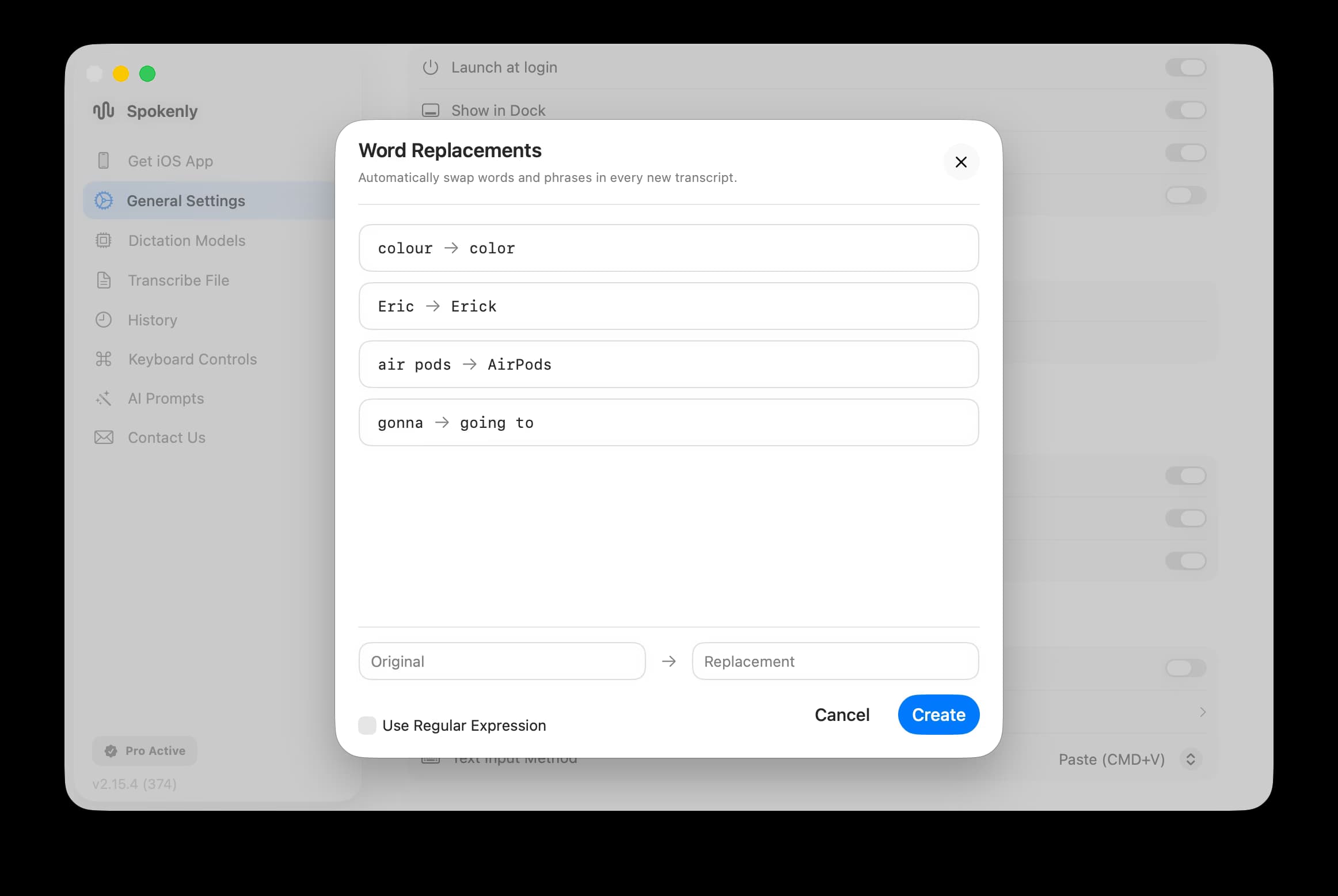
Each replacement has an Original field (what to find) and a Replacement field (what to substitute). Matching is case-insensitive and respects word boundaries.
Examples:
colour→color(spelling normalization)Eric→Erick(name correction)air pods→AirPods(brand formatting)gonna→going to(informal speech)
Regular Expressions (advanced)
Enable Use Regular Expression to match patterns instead of literal text. The Original field accepts standard regex syntax, and the Replacement field supports capture group references ($1, $2, etc.).
Examples:
\b(yea|yeah|ya)\b→yes(normalize informal variants)\b(um|uh|er)\b→ (empty) (remove filler words)\b(ok|okay|Ok)\b→OK(unify spelling variants)
Timing (Before/After AI)
If you have AI prompts configured, each replacement shows a timing option:
| Timing | When it runs |
|---|---|
| Run Before AI Prompt | Replacement applied to raw transcript before AI processing |
| Run After AI Prompt | Replacement applied to AI output |
| Both | Runs before and after AI processing |
Use Before AI when you want the AI to see the corrected text. Use After AI for final formatting that shouldn't affect AI behavior.