
Agent Mode Guide
Turn Spokenly into a voice assistant that can control apps, search, and automate tasks.
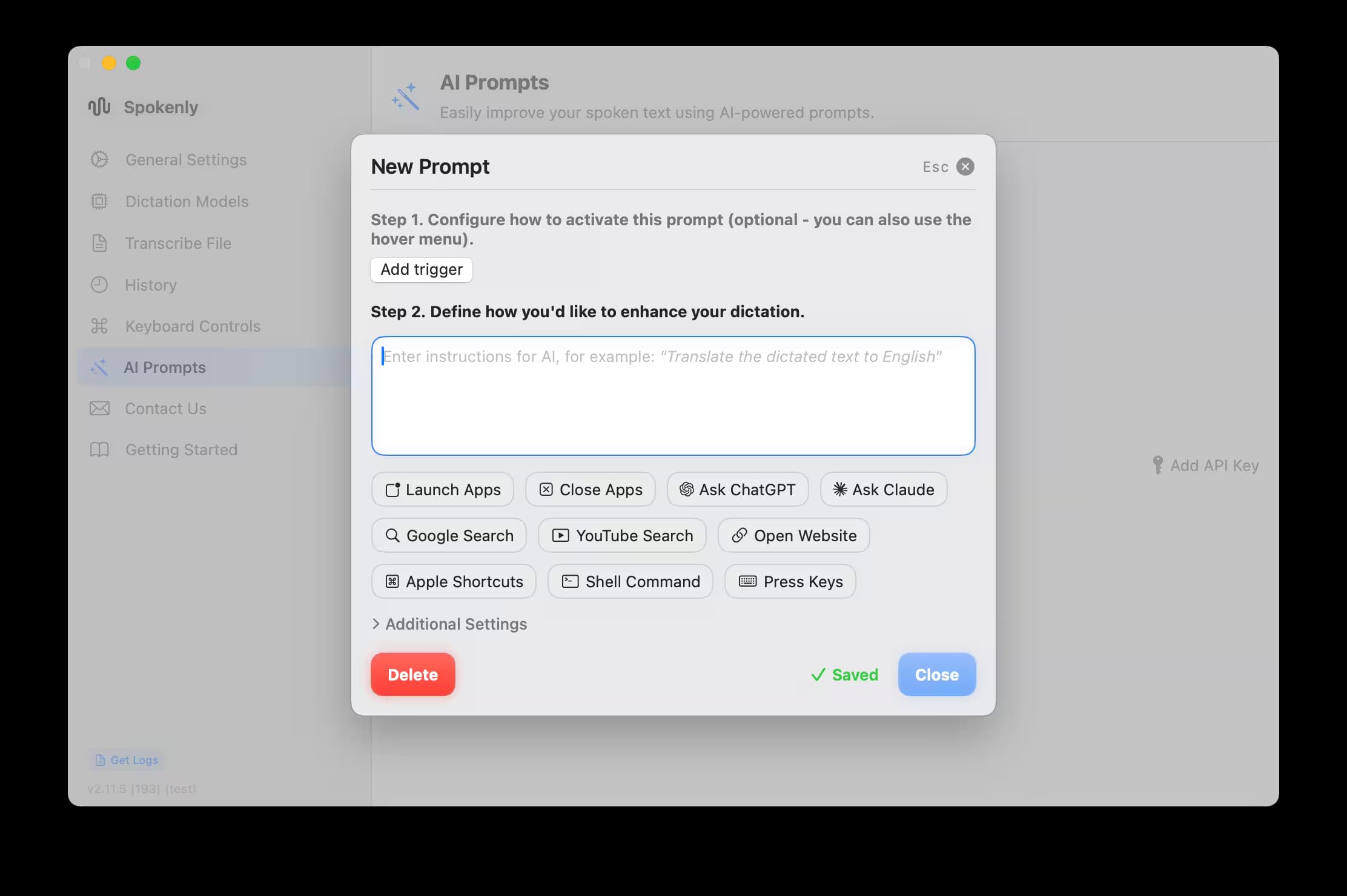
Agent Mode turns Spokenly into a voice assistant that controls your Mac. Beyond transcription, it opens apps, presses keys, searches the web, and automates tasks from natural speech.
Why Use Agent Mode
- Control apps and websites hands‑free.
- Automate repetitive tasks with voice commands.
- Access AI assistants like ChatGPT and Claude.
- Run complex workflows with simple phrases.
Getting Started
Open or Create an AI Prompt
Choose the AI Prompt you want to control by voice.
Choose Tools
Select only what you need; fewer tools mean faster responses.
Save and Test
Speak a command to confirm the workflow works as expected.
Performance tip: For plain dictation, leave Agent Mode tools off to minimize overhead.
Available Tools
Best Practices
- Be specific: Clear commands work better than vague requests.
- Create dedicated prompts: Use separate AI Prompts for different workflows.
- Test first: Use the test feature to verify commands work as expected.
- Enable only needed tools: Fewer active tools mean faster processing.
Key Takeaways
- Agent Mode turns voice into actions, not just text.
- Enable only the tools you need for better performance.
- Use separate AI Prompts for different workflows.
- Grant necessary permissions in System Settings.
Start with simple commands, then build more complex workflows as you get comfortable.