
Local Only Mode
Keep all transcription on-device by disabling internet access and using local models.
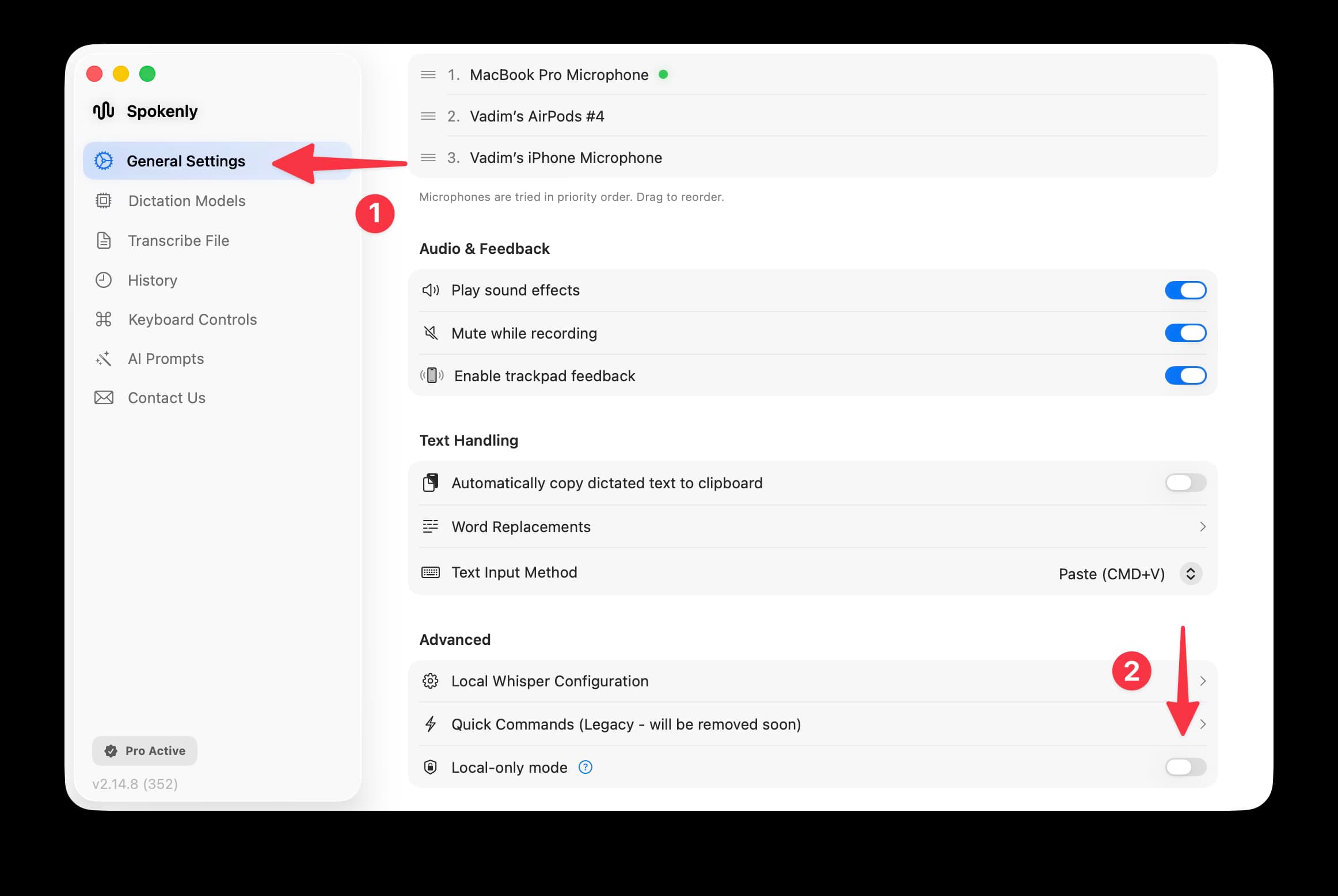
Local Only Mode blocks all internet connections for extra privacy. With local models, Spokenly already keeps your audio on your device; this mode adds another layer by disabling all network activity. If you select an online model, transcription fails because network requests are blocked. Many users pair Local Only Mode with a local Whisper model for completely private transcription.
Common Setup
Install a Local Model
Install a Whisper model and run it locally on your Mac.
Enable Local Only Mode
Turn on Local Only Mode in Spokenly to block all network access.
Transcribe Privately
Start dictating—your audio and text never leave your device.
Benefits
- Ideal when you need enhanced privacy.
- Safe for sensitive information.
- Guarantees that no data leaves your device.
Technical Details
Local Only Mode allows connections to localhost, so locally hosted models work without restriction. For example, you can use Speaches or similar services. Deploy local text models (LLMs) and dictation models (Whisper), and Spokenly communicates exclusively with these local endpoints.