
Deeplinks
Trigger Spokenly for macOS from other apps or scripts via the spokenly:// URL scheme.
Spokenly for macOS supports deeplinks to start, stop, or toggle dictation. Opening one launches Spokenly (if needed) and performs the action immediately.
Supported Deeplinks
spokenly://start: opens the recorder and begins recording with your main AI Prompt.spokenly://start?prompt_id=<prompt-uuid>: starts recording with a specific AI Prompt by ID. If the ID is missing or invalid, Spokenly falls back to your main AI Prompt.spokenly://stop: stops the active recording/stream and hides the recorder. If nothing is recording, the request is ignored.spokenly://toggle: toggles recording. If already recording, it stops; if idle, it starts with your main AI Prompt.spokenly://toggle?prompt_id=<prompt-uuid>: toggles recording using a specific AI Prompt when starting.spokenly://switch?prompt_id=<prompt-uuid>: switches the current activation prompt to the prompt matching the given ID (no recording action is taken).
Examples
# Start with your main prompt
open 'spokenly://start'

# Start with a specific prompt (replace with your prompt's UUID)
open 'spokenly://start?prompt_id=01234567-89AB-CDEF-0123-456789ABCDEF'

# Stop any in‑progress recording
open 'spokenly://stop'

# Toggle: start if idle, stop if already recording
open 'spokenly://toggle'

# Toggle with a specific prompt
open 'spokenly://toggle?prompt_id=01234567-89AB-CDEF-0123-456789ABCDEF'

# Switch the active prompt (does not start recording)
open 'spokenly://switch?prompt_id=01234567-89AB-CDEF-0123-456789ABCDEF'
Tip: You can hook these URLs into launchers or automation tools (e.g., LeaderKey) and bind them to hotkeys.
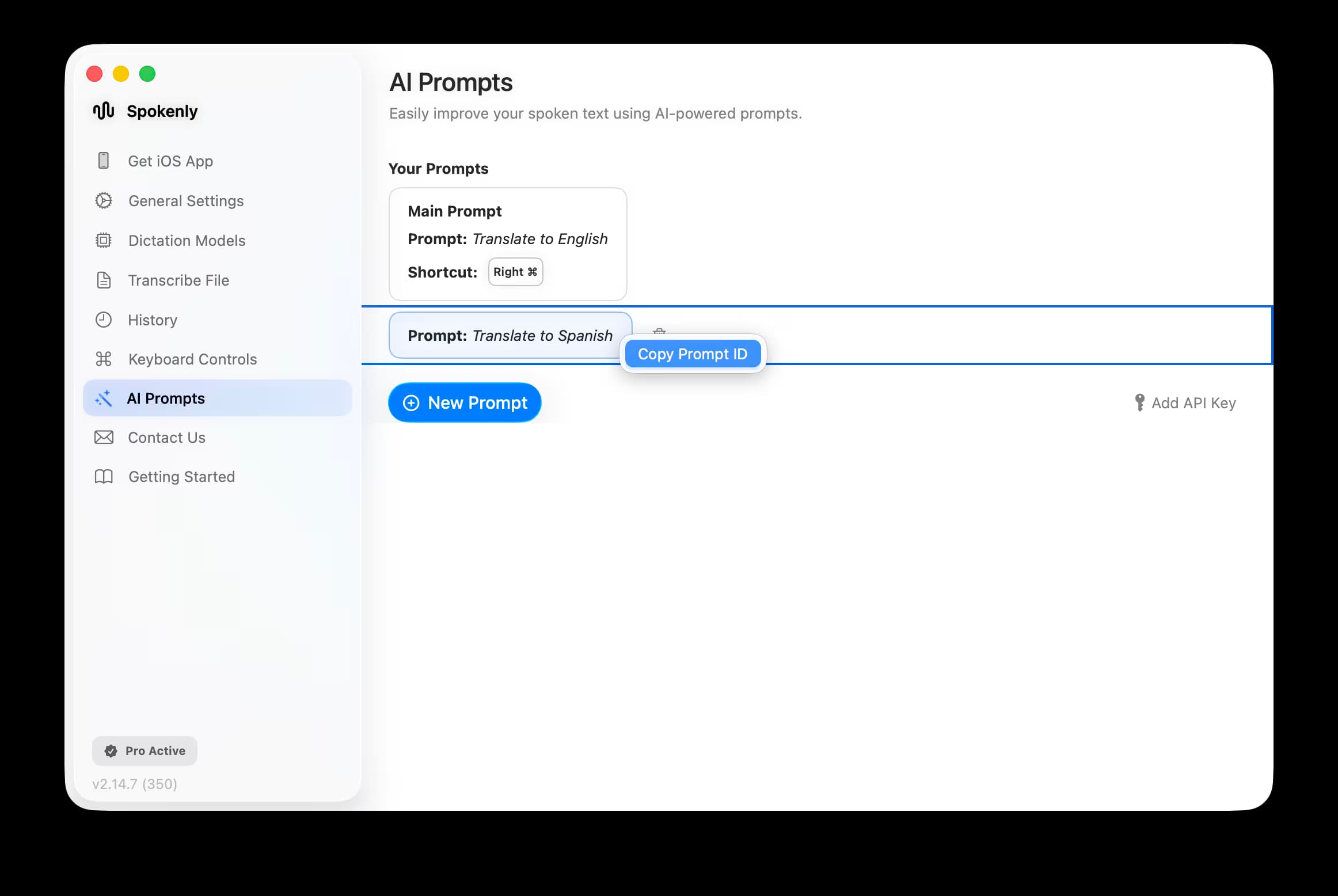
Find Your AI Prompt ID
Open Spokenly.
Go to AI Prompts.
Right-click the prompt you want to use.
Choose Copy Prompt ID from the menu.
Behavior Notes
- A start deeplink is ignored if Spokenly is already recording or transcribing.
- A toggle deeplink starts when idle and stops when already recording.
- A switch deeplink only changes the active prompt; it does not start or stop recording.
- Stop finalizes an active stream or recording; otherwise it does nothing.
- If
prompt_idis omitted, the main prompt is used.