
Dictionary
Improve transcription accuracy with custom vocabulary.
Custom dictionaries work at the speech recognition level, helping transcription models correctly recognize and spell domain-specific terms, names, brands, and technical jargon. This feature is currently supported by Soniox and GPT-4o-transcribe models.
For simple find-and-replace rules, see Word Replacements.
How to Access
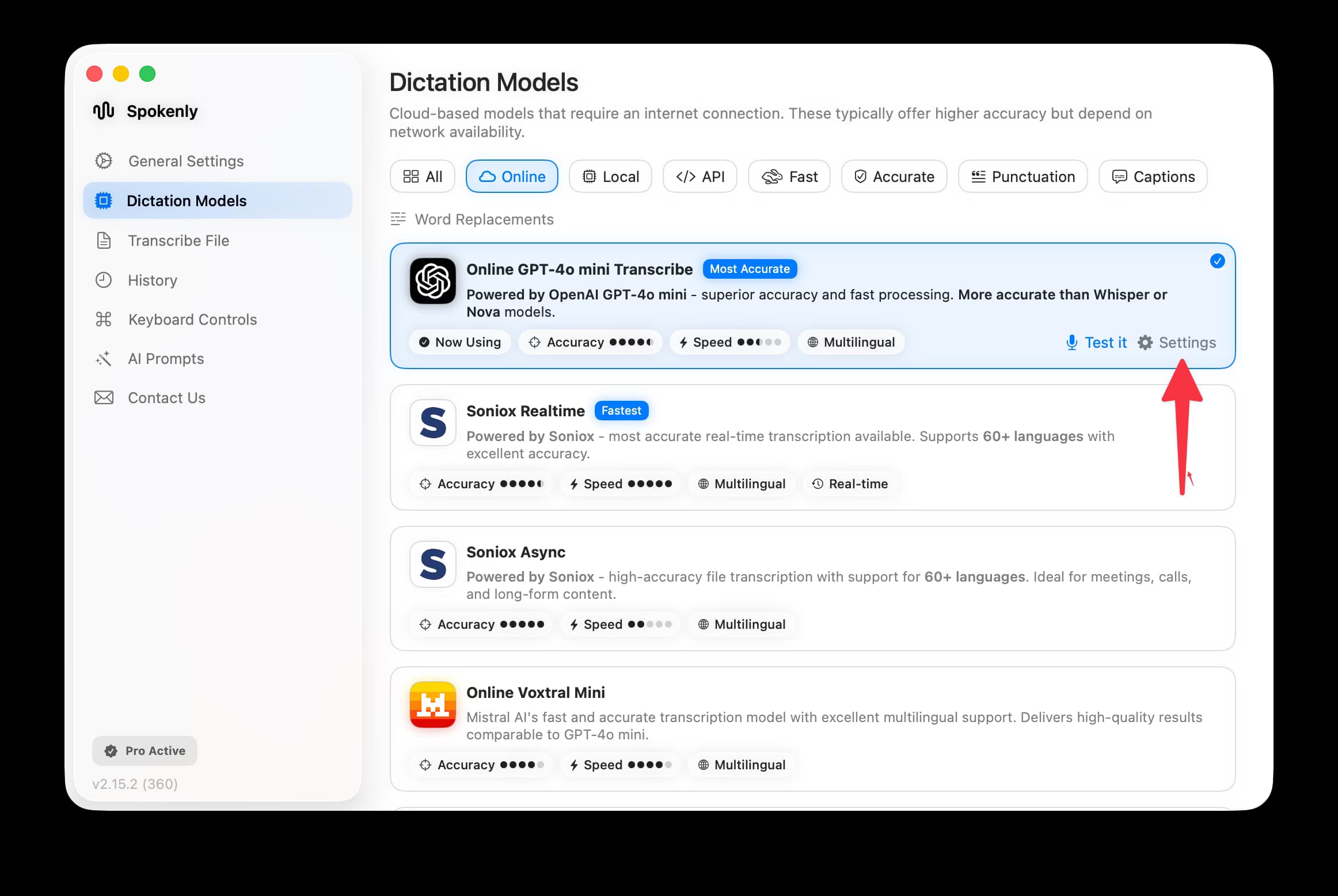
Navigate to Dictation Models in the settings, then click the Settings button next to a supported model.
Setting Up Your Dictionary
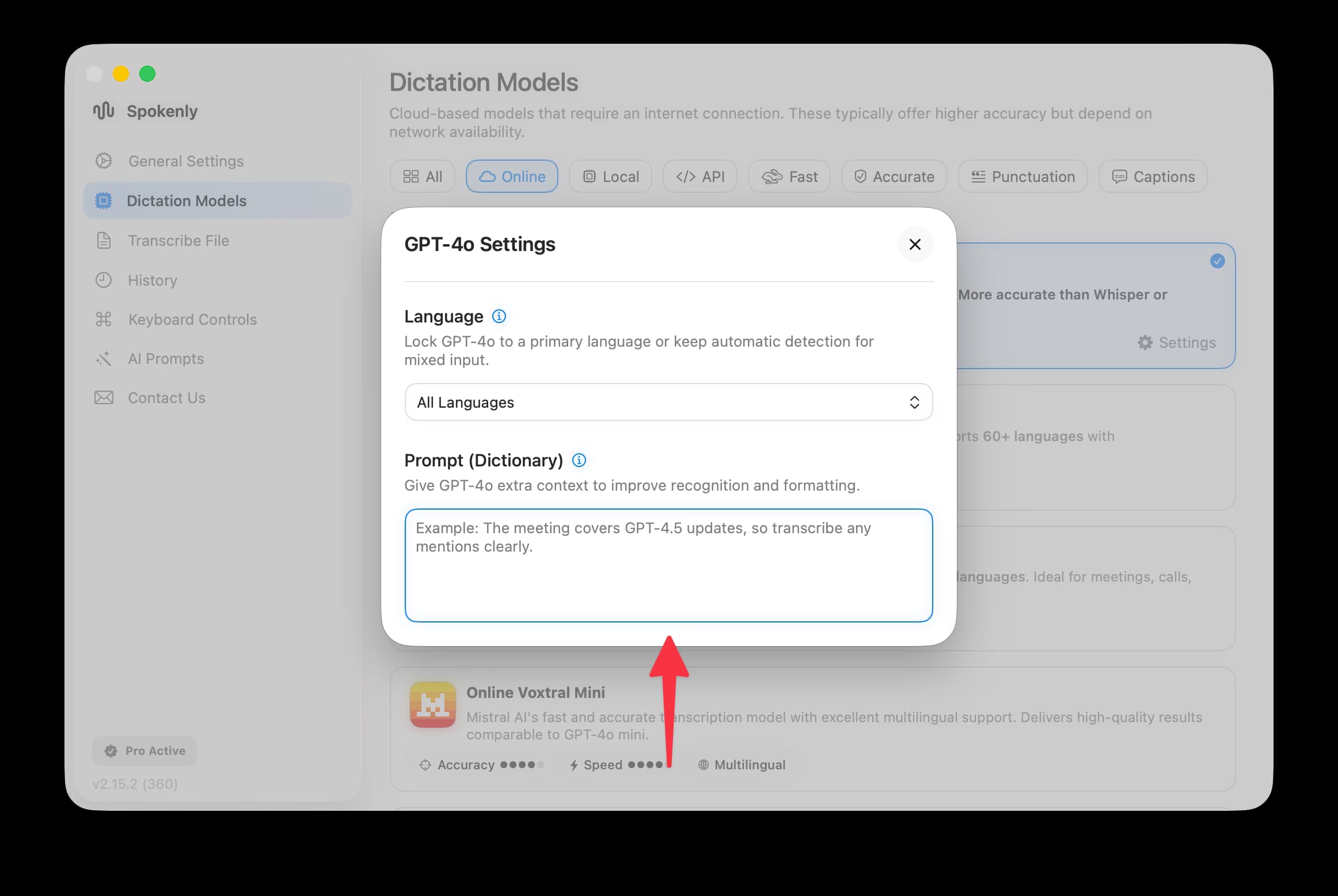
In the model settings dialog, you'll find the Prompt (Dictionary) field. Enter context or specific terms you want the model to recognize accurately.
Tips for Effective Dictionaries
- Include proper nouns: Names of people, companies, products, and places that might be uncommon.
- Add technical terms: Industry-specific jargon, acronyms, or specialized vocabulary.
- Provide context: A brief sentence describing what you'll be discussing helps the model understand the domain.
- Use correct spelling: The model will follow the exact spelling and capitalization you provide.
Example Prompts
For a product meeting:
The meeting covers GPT-4.5 updates, so transcribe any mentions clearly.For a medical dictation:
Medical terms: amoxicillin, hypertension, systolic, diastolic, lipid panel.For a team standup:
Names: Priya, Kenji, Omar. Projects: ProjectAlpha, Sprint-42, CI/CD pipeline.Supported Models
| Model | Dictionary Support |
|---|---|
| GPT-4o mini Transcribe | Yes |
| GPT-4o Transcribe | Yes |
| Soniox Realtime | Yes |
| Soniox Async | Yes |
| Whisper models | Use Whisper Prompting instead |